Your Site Looks Fine. So Why Aren't the Calls Coming In?
This is one of the most frustrating positions a business owner can be in. The website is live, it looks reasonably professional, nobody has reported it being broken — and yet the phone isn't ringing the way it should be. No crash. No angry email. Just a quiet gap between how much traffic Google Analytics says you're getting and how few of those visits turn into an actual enquiry.
That gap is rarely mysterious once you go looking. A website doesn't usually fail loudly — it fails quietly, one small friction point at a time, until a visitor who was genuinely interested closes the tab and calls a competitor instead. They don't leave a review explaining why. They just leave. That's what makes these five signs so easy to miss from the inside: you're looking at your own site with the context of already knowing your prices, your hours and your phone number. A first-time visitor has none of that, and every extra second of friction costs you a slice of them.
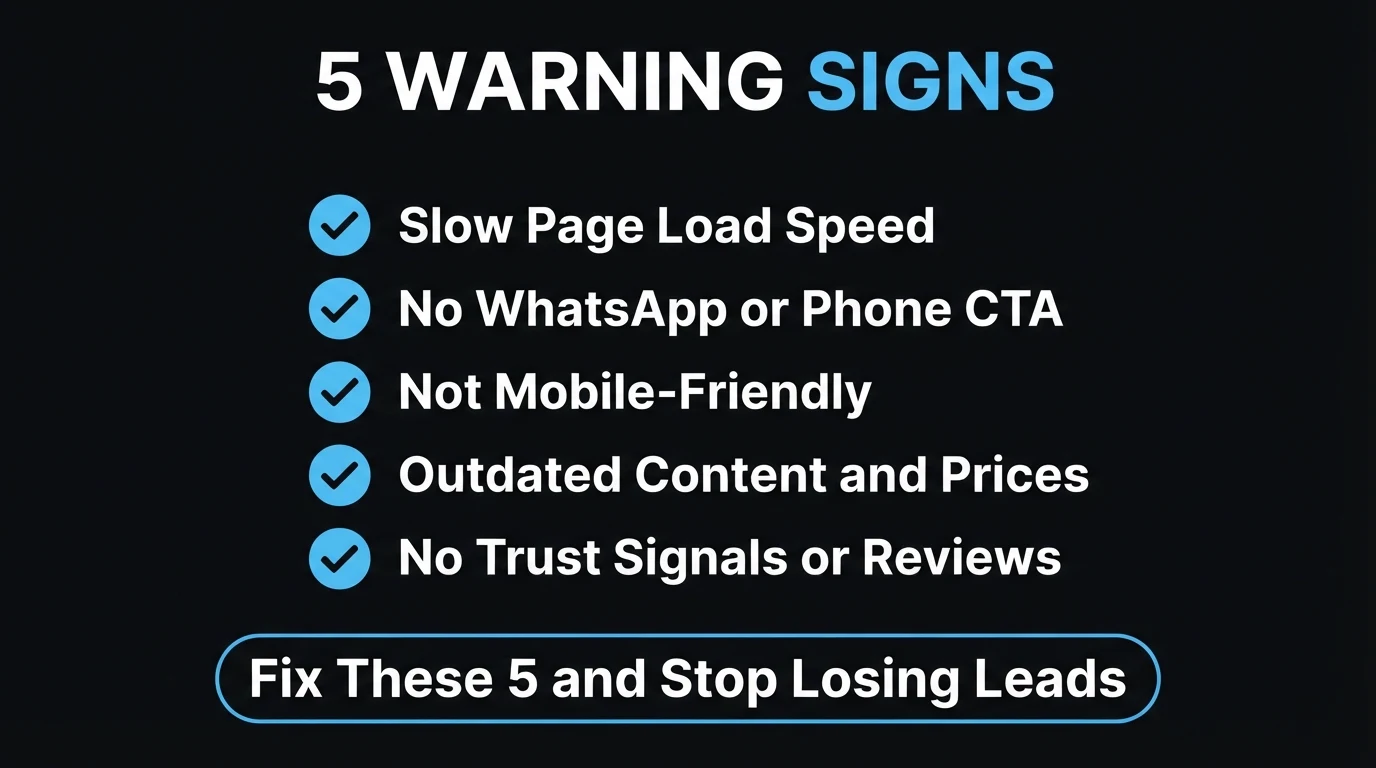
The 5 Quiet Signs Your Website Is Costing You Customers
These aren't rare, obscure problems. They're the five most common reasons a perfectly decent-looking small business website underperforms — and every one of them is fixable without a full rebuild.
1. Your Pages Take Too Long to Load
Google's own research found that as page load time goes from one second to three seconds, the probability of a mobile visitor bouncing rises by 32%. Push that to five seconds and it roughly doubles. Most South African visitors are on mobile data, not fibre — a hero image that hasn't been compressed, or a page stacked with tracking scripts, can easily push load time past that threshold without anyone noticing until they check. We cover exactly which numbers Google measures and how to test your own in our Core Web Vitals guide.
2. There's No Obvious Way to Contact You
If a visitor has to scroll, hunt, or click through to a separate "Contact" page just to find a phone number, you've already lost a meaningful share of them. The businesses that convert best put a WhatsApp button or a phone number somewhere visible on every single page, above the fold, on both desktop and mobile — not buried in a footer nobody scrolls to. We wrote a full breakdown of exactly where that button should sit in how to turn website visitors into WhatsApp leads.
3. It Breaks (or Just Looks Bad) on a Phone
Roughly two-thirds of South African web traffic happens on a phone, not a desktop. If your menu overlaps the logo, your buttons are too small to tap accurately, or your text runs off the edge of the screen, that's not a cosmetic issue — it's a direct block between an interested visitor and your contact details. Open your own site on your phone right now, on mobile data rather than office WiFi, and actually try to book or enquire the way a stranger would.
4. The Content Is Quietly Out of Date
Last year's promotion still pinned to the homepage. A staff member who left eight months ago still listed on the team page. Trading hours that no longer match what's on your Google Business Profile. None of these crash anything, but each one quietly signals to a visitor that nobody is paying attention — and that impression travels straight into whether they trust you enough to hand over money.
5. There's Nothing on the Page That Builds Trust
A visitor who has never met you is deciding, in seconds, whether you're a real, competent business or a risk. Real photos of your work or your team, genuine reviews, a physical address, and clear proof of past results all do the quiet work of answering "can I trust this business?" before a visitor even reaches your contact form. A page with none of that — just stock photography and generic copy — leaves that question unanswered, and an unanswered trust question usually ends in a closed tab. Our guide on stock photos vs real photos goes deeper on exactly where this costs the most.
Fine vs Leaking: What the Difference Actually Looks Like
It helps to see the two states side by side, because the gap between them is usually smaller — and cheaper to close — than business owners expect.
- Loads in under 2.5 seconds on mobile data
- WhatsApp or phone number visible without scrolling, on every page
- Menus, buttons and text work cleanly on a small screen
- Prices, hours and team info match what's true today
- Real photos, real reviews, a real address on the page
- Uncompressed images push load time past 3-4 seconds
- Contact details live only on a separate "Contact" page
- Layout overlaps or overflows on a phone screen
- Old promos, ex-staff and outdated hours still showing
- Stock photography with no proof a real business is behind it
The site that surprised me most wasn't old or ugly — it was two years old and still looked sharp. The owner couldn't work out why enquiries had dried up. It turned out the WhatsApp button had quietly stopped working after a template update months earlier, and nobody had tested it since launch. Every visitor who tried to message got nothing, closed the tab, and called someone else instead. Fixing it took ten minutes. Finding it took a habit most sites never get: someone actually testing their own contact flow every few months, the way a stranger would.
Quick check: when last did you actually click your own "Contact" or WhatsApp button, on your phone, on mobile data — not office WiFi — and confirm it works?
How to Check Your Own Site in 10 Minutes
You don't need any tools you don't already have. Work through this in order, on your phone, using mobile data if you can.
Time your homepage load, on mobile data
Close the site, clear it from memory, and load it fresh on data rather than WiFi. If it feels slow to you, it's costing you visitors who are less patient than you are.
Find your contact button without scrolling
Land on the homepage. Don't scroll. Is a phone number or WhatsApp button visible right now? Repeat on your two or three most-visited pages.
Try to actually book or enquire, as a stranger would
Tap through your own enquiry flow end to end. Do the buttons register on the first tap? Does the form submit? Does the WhatsApp link open a real, pre-filled message?
Read every price, date and staff name out loud
Anything that isn't true today — an old promo, an old price, someone who left — gets flagged for a same-day fix. This step alone often turns up the most.
Ask: would a stranger trust this in 5 seconds?
Look at your homepage as if you'd never heard of the business. Is there a real photo, a real review, a real address? If it reads generic, it reads risky.
Not sure which of the 5 signs applies to your site?
Send us your website and we'll run through all five checks for you — load speed, contact visibility, mobile layout, outdated content and trust signals — and tell you exactly what's costing you leads. No charge, no obligation.
Zero deposit · No lock-in · Based in Centurion, serving all of SA
What Fixing This Actually Costs You (In Time and Money)
None of these five fixes require a full redesign. Most are hours, not weeks — which is exactly why it's worth checking today instead of waiting for a slow quarter to explain it.
| Sign | Typical fix | Cost of ignoring it |
|---|---|---|
| Slow load speed | Compress images, trim unused scripts | Lost mobile visitors before the page even renders |
| No visible contact CTA | Add a sticky WhatsApp button, test it | Interested visitors leave with no way to reach you |
| Broken mobile layout | Fix responsive breakpoints | Two-thirds of SA traffic sees a broken site |
| Outdated content | A 30-minute content audit | Visitors doubt whether the business is even active |
| No trust signals | Add real photos, reviews, an address | Visitors can't tell you're a real, safe choice |
If your site needs more than a patch-up — if it's genuinely due for a rebuild rather than a fix — our website cost guide for South Africa lays out realistic pricing so you know what to expect before you ask for a quote.
The Bottom Line
A website rarely announces that it's failing. It just quietly gets a little slower, a little harder to contact, a little further behind on content, and a little less trustworthy — until the gap between traffic and enquiries is wide enough that someone finally asks why. The good news is that all five signs are things you can check yourself in ten minutes, and none of them require starting over.
If you run through the checklist above and find two or three of these are true, that's not a reason to panic — it's a short, fixable list. And if you'd rather have someone else run the check and hand you a clear answer, that's exactly what a free website health check is for.
- Websites fail quietly, not loudly. Visitors who leave don't complain — they just close the tab and call a competitor instead.
- The 5 signs: slow load speed, no visible contact button, broken mobile layout, outdated content, and no trust signals.
- All five are checkable in 10 minutes and fixable without a full rebuild — start with the one that costs you the fastest wins: your contact button.
Go Deeper: Related Guides
Frequently Asked Questions
How do I know if my website is losing me customers?
Check five things: how long your homepage takes to load on mobile data, whether a phone number or WhatsApp button is visible without scrolling, whether the layout actually works on a phone screen, whether your prices, hours and testimonials still reflect today, and whether the page has any real proof — photos, reviews, an address — that a visitor can trust. If two or more of these are shaky, the site is quietly turning people away before they ever contact you.
Why do visitors leave a website without contacting the business?
Most of the time it is not a dramatic problem. A page that takes too long to load, a phone number buried at the bottom, or a layout that breaks on a small screen is enough to make someone close the tab and call the next result on Google instead. Visitors rarely leave feedback — they just leave, which is what makes these signs easy to miss from the inside.
How fast should my website load?
Aim for under 2.5 seconds on mobile. Google's own research found that as page load time goes from 1 to 3 seconds, the probability of a visitor bouncing increases by 32%, and it keeps climbing after that. You can test your own site's speed for free with Google's PageSpeed Insights — we break down exactly what those numbers mean in our Core Web Vitals guide.
Does an outdated website actually hurt my business?
Yes, in a way that rarely shows up as a complaint. Last year's promotion, a closed team member still listed as staff, or trading hours that no longer match reality all tell a visitor the business is not paying attention — and that impression travels straight onto whether they trust you enough to buy. It costs nothing to fix, which is exactly why it is worth checking today rather than waiting for someone to mention it.
What is the quickest fix if my website is losing leads?
Start with the call-to-action: make sure a WhatsApp button or phone number is visible on every page without scrolling, on both desktop and mobile. It is the fastest fix on this list, usually a same-day change, and it directly affects whether a visitor who is already interested actually reaches you. From there, work through load speed, mobile layout, outdated content and trust signals in that order.

Chris Maboyi
I build and audit websites for South African businesses in Centurion, Pretoria and across Gauteng — design, speed, mobile layout, and the small trust details that turn a visitor into an enquiry. Every project starts with a 48-hour free demo: real, live, no deposit before you approve it. Get in touch or WhatsApp me directly.