Why September Is the Right Time to Do This
Spring in South Africa quietly marks the start of the busiest stretch on the retail and services calendar. Between now and the end of the year sits Black Friday, the December holiday rush, and — for trades, tourism and hospitality businesses — the point where enquiry volume climbs fastest all year. Whatever is quietly broken on your website today gets multiplied by however much extra traffic that busy season sends its way.
That's the case for doing this now rather than in November. A website audit in September is a maintenance task. The same audit in the last week of November is a scramble. Nothing below requires a redesign or a developer on retainer — most of it is things any business owner can check themselves in the time it takes to have a coffee.
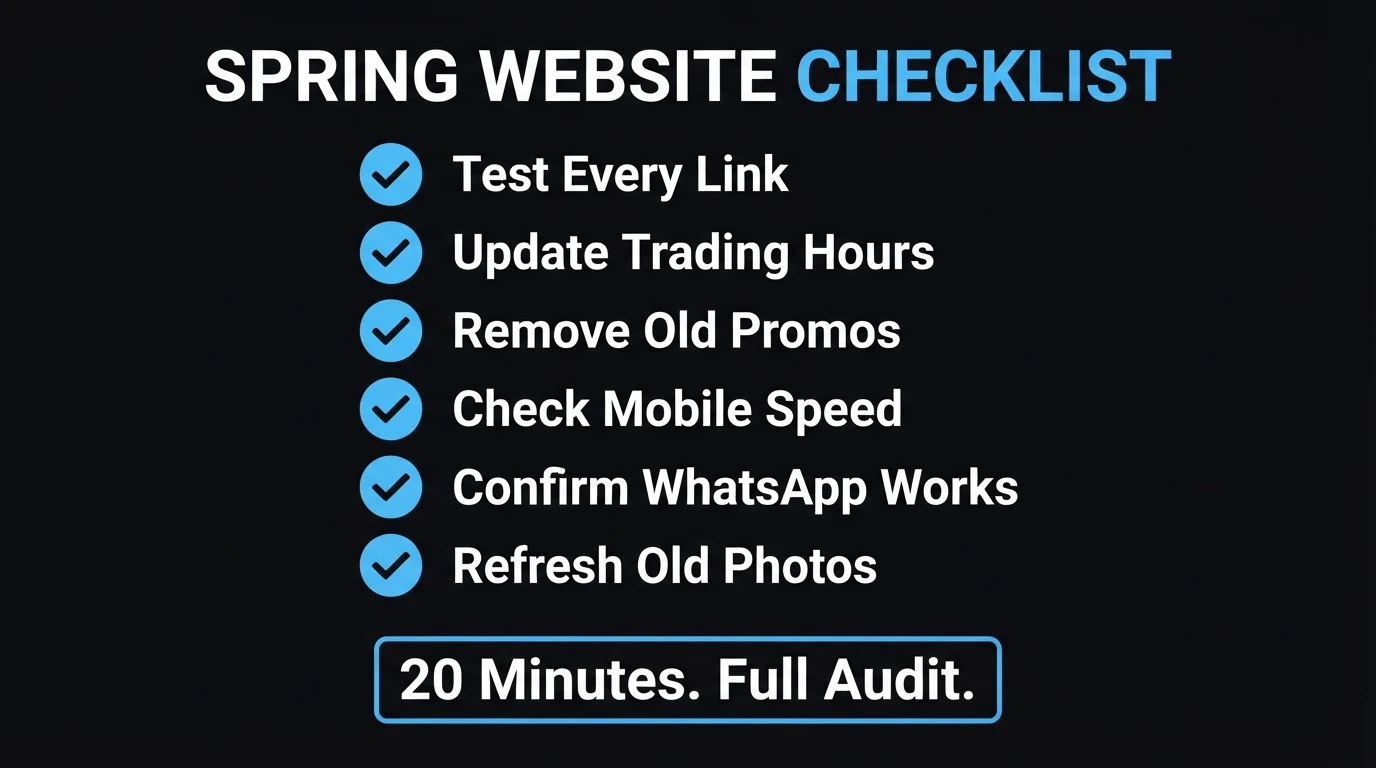
The 20-Minute Spring Website Audit
Work through these six checks in order, on your phone, using mobile data rather than office WiFi if you can — that's closer to how an actual visitor experiences your site.
1. Test Every Link on the Site
Click through your main navigation, footer links, and any buttons on your homepage. A single broken link to an old promotion page, a discontinued service, or a partner site that's since moved doesn't just frustrate the visitor who hits it — it's one of the signals search engines use to judge whether a page is being maintained. If you haven't done a full click-through since launch, this is usually where an audit turns up the most surprises.
2. Update Your Trading Hours Everywhere
Trading hours live in more places than most owners remember: the website footer, a dedicated contact page, and your Google Business Profile listing. If any of these disagree with each other — or with what's actually true today — a visitor who shows up based on the wrong hours has a bad first experience with your business before they've even walked in. Cross-check all three against each other, not just against reality.
3. Remove Last Year's Promotions and Expired Offers
A "Summer Special — Valid Until January" banner still live on the homepage in September doesn't read as generous, it reads as neglected. The same goes for a Black Friday countdown from last year, or pricing that quietly changed months ago without the website catching up. This is the single most common thing an audit finds, and it's usually a five-minute fix once spotted.
4. Check Your Mobile Load Speed
Most South African website traffic happens on a phone, often on mobile data rather than fibre or office WiFi. If your homepage feels slow to you on data, it's costing you visitors who are less patient than you are — and that gap only gets worse once summer traffic volumes climb. We break down exactly which numbers matter and how to test your own for free in our Core Web Vitals guide.
5. Confirm Your WhatsApp and Contact Buttons Actually Work
Don't just check that the button is visible — actually tap it, end to end, and confirm a real, pre-filled message opens. WhatsApp buttons occasionally break silently after a template update or a number change, and because nobody tests their own contact flow as often as a genuine visitor uses it, these failures can sit unnoticed for months. Our guide on turning website visitors into WhatsApp leads covers exactly where this button needs to sit to convert in the first place.
6. Refresh Outdated Photos, Prices and Team Info
A staff member who left the business eight months ago still smiling on the team page, or a price list that no longer matches what you actually charge, tells a visitor the same thing a broken link does: nobody's been paying attention lately. None of this is dramatic on its own, but stacked together it's exactly the kind of quiet drift that makes a two-year-old website start underperforming a brand-new one.
Ready for Summer vs Quietly Not Ready
Seen side by side, the gap between these two states is usually a lot smaller — and cheaper to close — than it feels from the inside.
- Every navigation and footer link resolves to a real, current page
- Trading hours match across the site, Google Business Profile and reality
- No expired promotions or outdated countdowns still live
- Homepage loads comfortably under 2.5 seconds on mobile data
- WhatsApp button tested end to end, this month, on a phone
- At least one dead link nobody's clicked in months
- Hours on the website disagree with the Google listing
- Last summer's — or last Black Friday's — banner still up
- Uncompressed images pushing load time past 3-4 seconds
- A WhatsApp button nobody has personally tested since launch
Last September, a client's site was still showing "Book your December slot now" — in the middle of winter. The offer itself had expired nine months earlier, but the banner had been coded directly into the homepage rather than a section that got reviewed regularly, so nobody thought to touch it again after the season ended. It took ten minutes to remove. The harder lesson was building a habit of checking seasonal content on a calendar, not waiting for someone to notice it looked strange.
Quick check: is there a promotion, countdown or seasonal banner on your homepage right now that's already expired?
How to Run the Audit Yourself, Step by Step
Work through this in one sitting, on your phone, ideally on mobile data.
Click through every link on the homepage and footer
Note anything that 404s, redirects somewhere wrong, or points at a page you no longer offer.
Open your Google Business Profile next to your website
Compare trading hours, address and phone number side by side. Fix whichever one is wrong.
Scroll the homepage looking only for dates
Any promotion, countdown or "valid until" line that's already passed gets removed on the spot.
Time your homepage load, on data, not WiFi
If it feels slow to you, it's costing you visitors who are less patient than you are.
Tap your WhatsApp button and send yourself a real message
Confirm it opens pre-filled and actually reaches your number — don't assume it still works.
Want someone else to run this audit for you?
Send us your website and we'll check all six points — links, hours, promotions, speed, WhatsApp and content — and tell you exactly what needs fixing before the busy season starts. No charge, no obligation.
Zero deposit · No lock-in · Based in Centurion, serving all of SA
What Skipping This Actually Costs You
None of the six checks above require a rebuild. Most are same-day fixes — which is exactly why it's worth doing in September instead of discovering them mid-Black-Friday.
| What you find | Typical fix | Cost of leaving it |
|---|---|---|
| Broken link | Update or remove the link, minutes | Dead-end frustrates visitors and signals a neglected site |
| Wrong trading hours | Sync website, GBP and reality | Visitors arrive when you're closed and don't come back |
| Expired promotion | Remove or replace the banner | Reads as neglected, not generous |
| Slow mobile load | Compress images, trim scripts | Lost visitors before the page even renders, worse under peak load |
| Broken WhatsApp button | Test and re-link the number | Ready-to-buy visitors have no way to reach you |
| Outdated content | A 20-minute content pass | Visitors doubt the business is actually active |
If your legal pages haven't been touched in a while either, it's worth checking those in the same sitting — our POPIA legal pages guide lists the seven most SA sites quietly get wrong. And if the audit turns up something more serious than stale content, our guide on warning signs your website's been hacked covers what to check next.
The Bottom Line
A website rarely announces that it's falling behind. It just accumulates small drift — a stale banner here, a mismatched trading hour there — until the gap between how professional the business actually is and how the website presents it becomes wide enough to cost a sale. Spring, with a clear run to Black Friday and December still ahead, is the cheapest possible time to close that gap.
Run the six checks above this week. If two or three come back true, that's not a crisis — it's a short list you can clear before your busiest season starts. And if you'd rather someone else run the check and hand you a clear answer, that's exactly what a free website health check is for.
- September is the ideal audit window — it leaves roughly nine weeks to fix anything before Black Friday and December's traffic peak.
- Six checks, 20 minutes: broken links, trading hours, expired promos, mobile speed, WhatsApp button, and outdated content.
- Start with the WhatsApp button. It's the fastest test and the one that directly costs you a ready-to-buy visitor if it's broken.
Go Deeper: Related Guides
Frequently Asked Questions
When should I do a website spring clean?
September, right at the start of the South African spring, is the ideal window. It gives you roughly two to three months to fix anything you find before Black Friday and the December holiday trading season, which is when most SA businesses see their highest website traffic of the year — exactly the wrong time to discover a broken contact form.
What should I check first in a website audit?
Start with your contact path — the WhatsApp button and phone number. If a genuinely interested visitor can't reach you, nothing else on the audit matters. From there, work through trading hours, old promotions, mobile speed, and outdated photos or prices in that order.
How long does a full website audit take?
About 20 minutes if you work through it on your phone, on mobile data, using the six-point checklist in this guide: test every link, update trading hours, remove old promos, check mobile speed, confirm WhatsApp works, and refresh outdated photos or prices. Fixing what you find usually takes longer than finding it, but most fixes are same-day changes.
What do SA businesses most commonly forget to update on their website?
Trading hours and seasonal promotions top the list. A December special still pinned to the homepage in September, or hours that don't match what's on Google Business Profile, are the two most common findings in any audit — and both take minutes to fix once spotted.
Do I need a developer to run this audit?
No — the checklist itself is something any business owner can run in 20 minutes with just a phone. Where you'll likely need help is fixing what you find: a slow-loading image, a broken link buried in old code, or a WhatsApp button that silently stopped working after a template update. That's a smaller, cheaper job than most owners expect.

Chris Maboyi
I build and audit websites for South African businesses in Centurion, Pretoria and across Gauteng — design, speed, mobile layout, and the small trust details that turn a visitor into an enquiry. Every project starts with a 48-hour free demo: real, live, no deposit before you approve it. Get in touch or WhatsApp me directly.