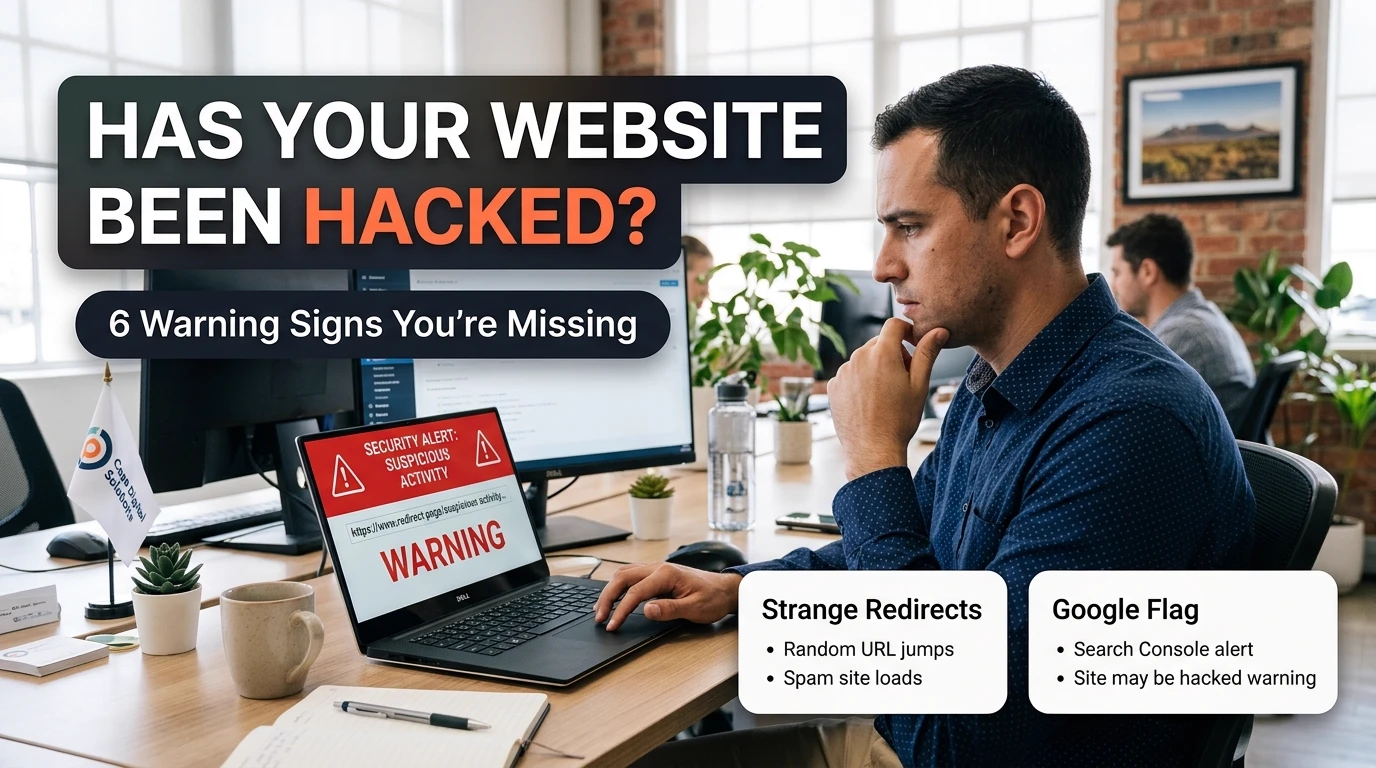
A Hacked Website Rarely Announces Itself
There's a version of getting hacked that lives in people's heads: a defaced homepage, a ransom note, something you'd notice the second you opened the browser. That version is rare. The version that actually happens to South African small business sites is quieter — the homepage looks completely normal, the contact form still works, and underneath it, a script is quietly serving spam links to Google's crawler or redirecting one visitor in twenty to a gambling site in another country.
That's what makes it dangerous. Most business owners only find out when a customer mentions something odd, or when Google removes the site from search results entirely — by which point the damage has usually been sitting there for weeks. The six signs below are the same ones we check for on every audit, in the order that actually catches a compromise fastest.
The 6 Warning Signs, Checked in Order
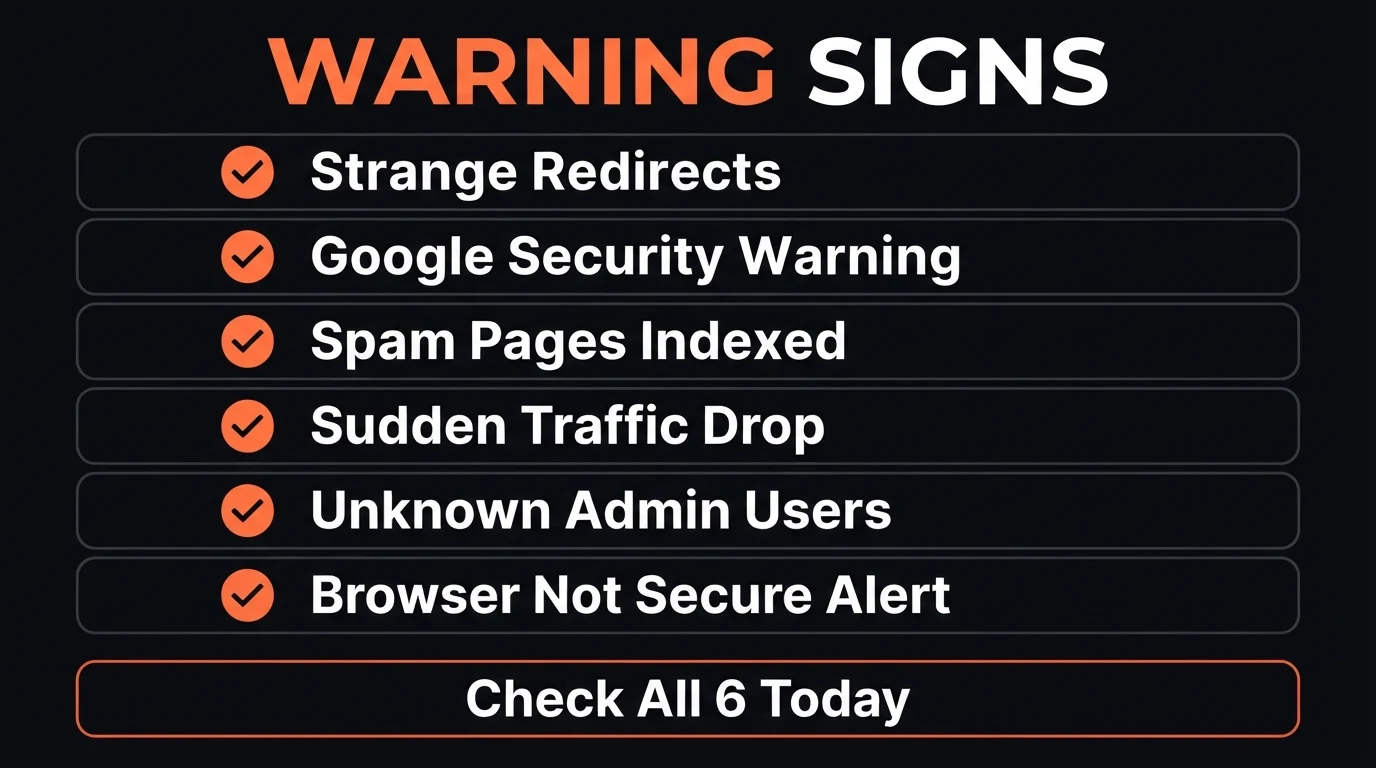
1. Strange redirects to sites you don't recognise
Load your homepage on your phone, on mobile data, in a private/incognito window. If you land somewhere other than your own site — a pharmacy ad, a gambling page, or a foreign-language storefront — that's an injected redirect script, and it's usually the single most obvious sign of the six. Hackers often make it "cloaked" so it only triggers for mobile visitors coming from Google, not for you browsing normally on desktop, which is exactly why business owners miss it for so long.
2. A "This site may be hacked" label, or a Search Console alert
Search your business name on Google and look directly under your listing for a small red warning. Then check Google Search Console (free, and every business should have it connected) under Security & Manual Actions — a real compromise almost always triggers an alert there days before it shows up anywhere else, because Google's crawler finds the injected code before a human visitor ever does.
3. Spam pages indexed under your own domain
Type site:yourdomain.co.za into Google and scroll through every result. On a clean site, you'll see only the pages you built. On a compromised one, you'll often find dozens of pages you never created — usually pharmaceutical, gambling, or counterfeit-goods spam, generated automatically to piggyback on your domain's existing trust with Google. This is one of the fastest checks on the list and one of the most reliable.
4. A sudden, unexplained drop in traffic or rankings
If Google Analytics or Search Console shows a sharp, unexplained fall in organic traffic — not a slow decline, but a cliff — check the date against any of the other five signs on this list. Google actively de-prioritises and can fully remove compromised sites from its index while a security issue is unresolved, and that traffic doesn't recover until the site is cleaned and a reconsideration request is approved.
5. Admin users or files you don't recognise
Log into your CMS or hosting control panel and check the full list of admin and FTP users — not just the ones you use day to day. A single unfamiliar account with admin rights, or a batch of files with recent timestamps you didn't create, is a direct sign of unauthorised access, and it's the one most business owners never think to check until something else has already gone wrong.
- Mobile visitors redirected to an unrelated site
- Unfamiliar pages showing up in a site: search
- A Security Issues alert inside Search Console
- Admin or FTP users you never created
- Same destination every time, on any device or network
- Only your own pages appear in a site: search
- No Security & Manual Actions warnings in Search Console
- Admin list matches exactly who should have access
6. A browser or antivirus "deceptive site" warning
If Chrome, Safari, or a visitor's antivirus software shows a red "Deceptive site ahead" or "This site may harm your device" screen before the page even loads, that's Google Safe Browsing or the antivirus vendor independently flagging malware they've already detected on your server. By the time this warning appears, the compromise has usually been active long enough to be picked up by multiple independent scanners — which means it's the loudest sign, but also often the last one to appear.
A recurring story from businesses that come to CJX after a compromise: the site "looked completely fine" every time the owner checked it themselves. The redirect only fired for mobile visitors arriving from a Google search — which is precisely the traffic the owner never personally experiences, because they always open their own site directly by typing the URL. Weeks in, a customer messaged to say the site "took them somewhere weird," and only then did a site: search reveal over 40 spam pages already indexed under the domain. Nothing about the homepage itself had ever changed.
Before you keep reading: have you actually run a site:yourdomain.co.za search in the last month? Most business owners never have.
What to Do If You Recognise Any of These
Finding one of the six signs above doesn't mean your business is finished — it means you caught it, which most owners don't do until Google forces the issue. The recovery sequence matters more than speed alone:
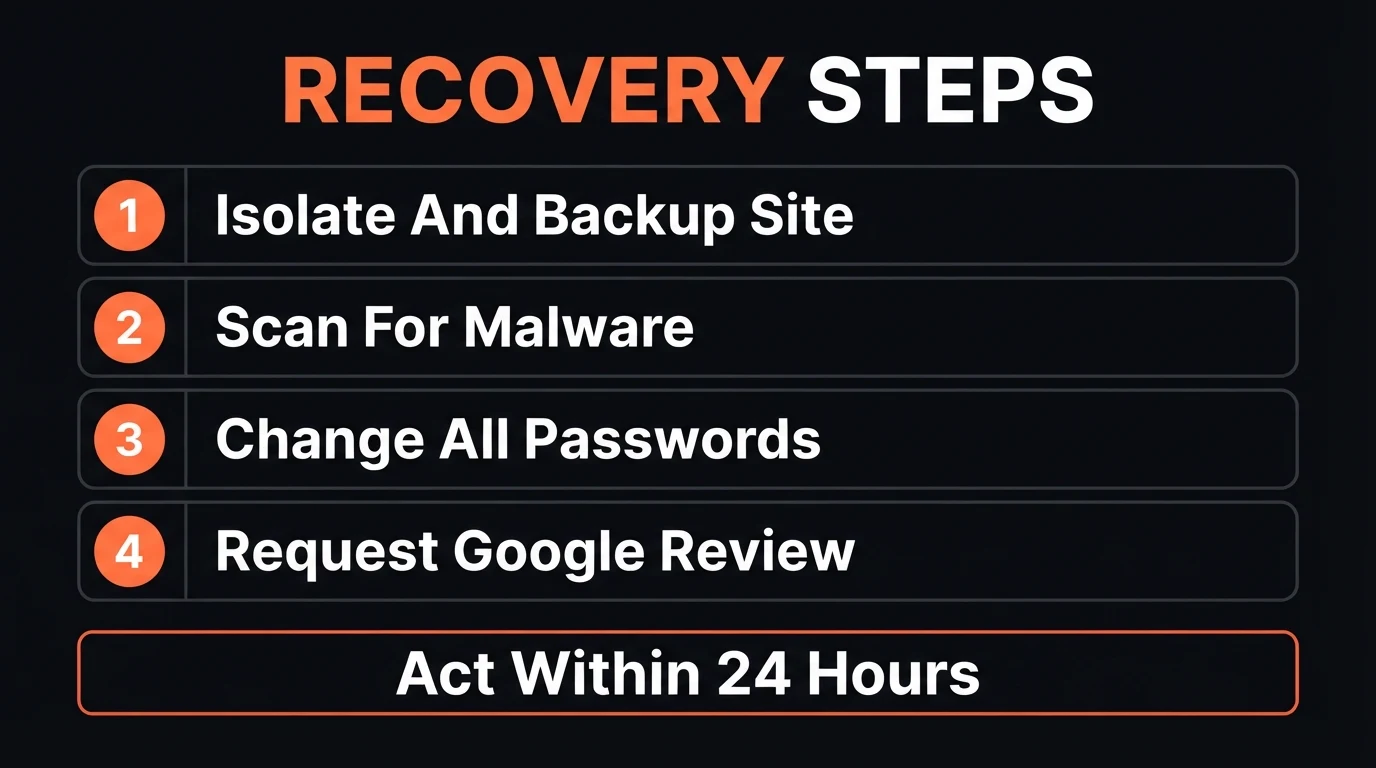
- Back up the site exactly as it is now. Before cleaning anything, take a full backup — you may need it for forensics, and a rushed cleanup can destroy the evidence of how the attacker got in.
- Scan for malware. Most hosts offer a scan through the control panel, or use a dedicated service like Sucuri or Wordfence if you're on WordPress — the scan will usually point directly to the injected files.
- Change every password tied to the site. Hosting, CMS admin, FTP, and any connected email — from a device you're confident is clean, not the one that may have been compromised in the first place.
- Request a Google security review. Once the site is genuinely clean, submit a reconsideration request through Search Console — this is what actually lifts the "may be hacked" label and restores your rankings.
Every one of these steps is a one-time fix once it's done properly — the real cost isn't the cleanup, it's the weeks of lost search visibility while the compromise sat there unnoticed.
Why Small SA Businesses Get Targeted at All
Almost nobody hacks a small business website for the data sitting behind it. What they're after is your domain's existing reputation with Google — a legitimate, aged, reasonably-trusted domain is valuable real estate for injecting spam links or quietly redirecting traffic, and it's cheaper to compromise than to build that trust from scratch. Automated bots scan thousands of sites a day looking for one specific thing: outdated plugin versions and reused, weak passwords. They don't care how big your business is. They care whether the door was left open.
What CJX Studios Does Differently
Every CJX Studios site is hand-built rather than assembled from a stack of third-party plugins and themes — which removes the single biggest entry point small business sites carry. Hosting runs on monitored, data-centre infrastructure with automatic security patching, admin access is locked down and logged, and uptime and file integrity are checked continuously. None of this is an upsell added later; it's the baseline every site launches with, checked before you ever see your free 48-hour demo.
Go Deeper: Related Guides
Not sure if your site is actually clean? Ask Chris.
Send your website link on WhatsApp and get a plain-English check on whether any of these 6 signs show up on your site — before you spend a cent on cleanup you might not need.
Zero deposit · No lock-in · Pay only if you love it · From R1,200/mo
Frequently Asked Questions
How do I know if my website has been hacked?
Search "site:yourdomain.co.za" on Google and look for pages you didn't create — pharmacy ads, gambling links, or foreign-language spam are the classic sign. Also check Google Search Console for a Security Issues alert, try loading your own site to see if it redirects anywhere unexpected, and watch for a sudden, unexplained drop in traffic or rankings. Any one of these on its own is worth investigating; two or more together almost always means a compromise.
Why would anyone hack a small business website?
Almost never for your data — usually for your domain's reputation. A small business site with decent Google trust is valuable real estate for injecting spam links, redirecting visitors to scam pages, or quietly serving malware, and automated bots scan for outdated software on thousands of sites a day without caring how big the business is. Size doesn't protect you; an unpatched plugin or a reused password does the damage.
Can a hacked website hurt my Google ranking?
Yes, and often severely. Google actively scans for malware and spam injections, and a confirmed compromise can trigger a "This site may be hacked" label directly in search results or a full removal from the index until it's cleaned and a reconsideration request is approved. Recovery can take days to weeks even after the malware is gone, which is why catching the warning signs early matters more than the cleanup itself.
What should I do first if I think my site has been hacked?
Take a full backup of the site as it currently stands before touching anything, so you have a copy for forensics either way. Then change every password tied to the site — hosting, CMS admin, FTP, and any connected email — from a device you're confident is clean. Run a malware scan through your host or a service like Sucuri, and only once the site is confirmed clean should you request a Google security review to lift any warning.
How does CJX Studios prevent this from happening?
Every CJX Studios site is hand-built rather than assembled from a stack of third-party plugins, which removes the single biggest hacking entry point small business sites have. Hosting runs on monitored, data-centre infrastructure with automatic security patching, admin access is locked down and logged, and uptime and integrity are checked continuously — so a compromise gets caught in hours, not months, if it happens at all.
- Most hacked SA business sites look completely normal to their own owner — the redirects and spam pages usually only show up for mobile visitors coming from Google search.
- A "site:yourdomain.co.za" search and a check of Google Search Console take under 5 minutes and catch the two most common signs on this list.
- If you find something, back up first, then clean, then request review. The recovery sequence matters more than speed alone.
Keep Reading

Chris Maboyi
I build websites for South African businesses in Centurion, Pretoria, and across Gauteng — hand-built, on monitored hosting, without the plugin stacks that cause most hacks. Every site starts with a 48-hour free demo: real, live, no deposit, no obligation. Get in touch or WhatsApp me directly.