Load Shedding Doesn't Check Your Business Hours
Every South African business owner has learned to plan around load shedding — the generator, the inverter, the "let's push that call to after 2pm." But there's one part of the business that almost nobody plans around, because it doesn't feel like it should be affected: the website. It's just there, always on, in the background — until the day it isn't, and a customer searching for you at 6pm during stage 4 gets a blank browser tab instead of your homepage.
Here's the part that catches people off guard: a website going offline during an outage usually has nothing to do with whether your business itself has power. It's about where your site, your email, and your domain actually live — and for a large number of small SA business sites, the honest answer is "somewhere that goes dark exactly when the grid does."
The uncomfortable truth is that most business owners have no idea which category their site falls into, because "hosting" was something set up once, years ago, and never looked at again. Let's fix that.
Three Quiet Ways Load Shedding Takes You Offline
None of these require a national grid collapse — a normal stage 2 or stage 4 slot in your area is enough to trigger any of the three:
- Your "server" is actually a PC or router at your premises. Some smaller sites, and a lot of internal business tools, run off a machine sitting in the office. The moment the office loses power, so does the site — no exceptions, no warning.
- Your host is real, but it's cheap and unmonitored. Budget shared hosting plans compete almost entirely on price, which means backup power, redundant network routes, and 24/7 monitoring are the first things cut to hit that price point. When their data centre's suburb goes on stage 4, you may go down with it.
- Your email and DNS are tied to the same single point of failure as your website. Even if your site itself survives, if your email runs through the same router or the same budget package, you stop receiving enquiries the moment the power drops — and nobody sends a follow-up WhatsApp to ask why you went quiet.
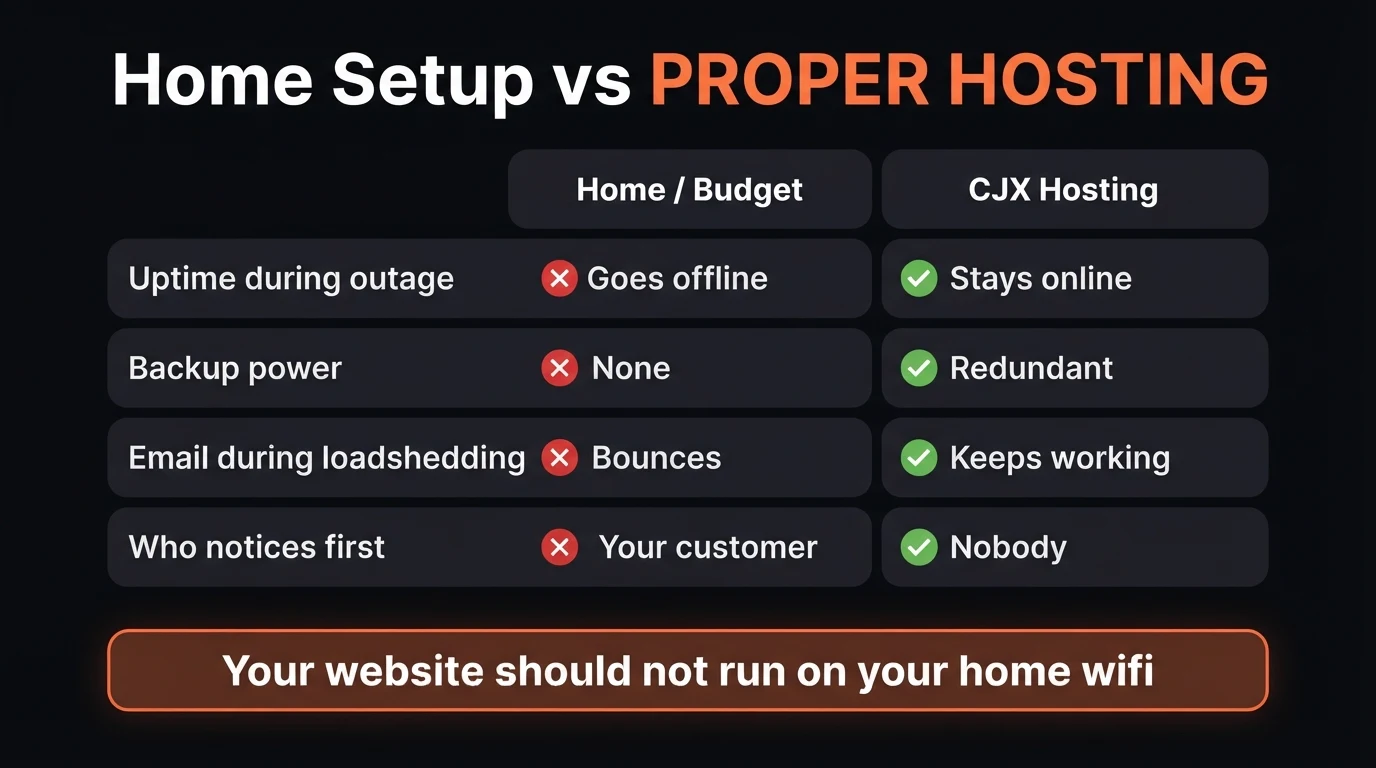
- Site or email hosted on a computer or router at your own premises
- Budget shared hosting with no generator or UPS backup at the data centre
- Domain, DNS and email all tied to one single provider or connection
- No one is monitoring uptime — a customer tells you it's down, not a system
- Hosting on data-centre infrastructure with its own generator and UPS backup
- Email and DNS kept independent of any single connection or router
- Domain renewal and hosting billing automated — nothing depends on someone remembering
- Uptime monitored around the clock, with an alert before a customer ever notices
A recurring story from businesses that come to CJX after a rebuild: the website "went down for no reason" a handful of times over a few months, always in the evening, always for a couple of hours. Nobody connected it to load shedding until we pulled up their old host's status history against the Stage schedule for their suburb and lined the two up — a near-perfect match. The site wasn't broken. It was simply hosted somewhere with no backup power, quietly going offline every time their area's slot came around, and coming back online once the lights did. Nobody had ever thought to check.
Before you keep reading: do you actually know where your website is hosted, and whether that host has backup power? Most business owners have never asked the question.
The Free 5-Minute Load-Shedding Website Check
You don't need technical skills to find out where you stand — just five minutes and the checklist below:
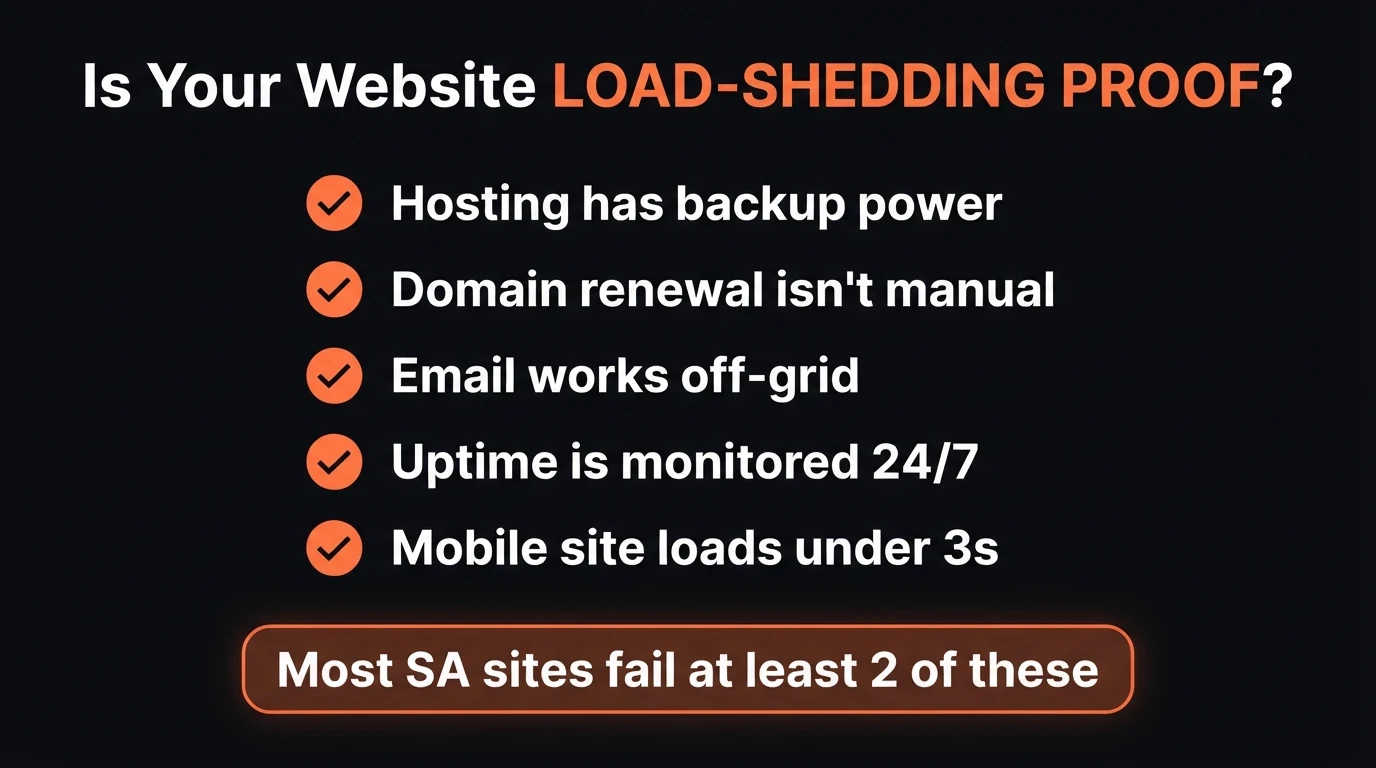
- Check your hosting has backup power. Ask your host directly, or check their public status page during your next scheduled slot — a reputable data-centre host will confirm generator and UPS backup without hesitation.
- Confirm your domain renewal isn't manual. A lapsed domain is a self-inflicted outage that has nothing to do with Eskom — check it's on auto-renew with a card that won't expire mid-cycle.
- Test your email off-grid. Send yourself a test email using mobile data only, during a real outage, and confirm it arrives — not just that your phone shows signal.
- Ask if uptime is actually monitored. You want to hear about a problem from a monitoring alert, not from a customer's WhatsApp asking if you're still open.
- Load the site on mobile data and time it. Under 3 seconds is the bar — if it's already slow on a good connection, an outage-strained network will make it worse.
If you got through that list without being fully sure of two or more answers, that's not unusual — it's the default state for a lot of SA small business websites. The good news: every one of these is a one-time fix, not an ongoing headache.
What CJX Studios Does Differently
Every CJX Studios site is hosted on data-centre infrastructure with its own generator and UPS backup — not a shared box picked purely on price. Email and DNS are kept independent of any single point of failure, domain renewal is automated so it's never a manual task someone forgets, and uptime is monitored around the clock. None of this is an add-on we upsell later; it's the baseline every site launches with, checked before you ever see your free 48-hour demo.
Go Deeper: Related Guides
Find out if your site is load-shedding proof. Free.
Send Chris your website link on WhatsApp and get a plain-English check on where it's hosted, whether that host has backup power, and what it would take to fix it — before you spend a cent.
Zero deposit · No lock-in · Pay only if you love it · From R1,200/mo
Frequently Asked Questions
Does load shedding actually affect my website?
Only if your website, email, or DNS depends on something that loses power when your area does — a home-based server or router, an office internet line with no backup, or a hosting company that doesn't run its own generators and UPS. A properly hosted site lives in a data centre with independent backup power, so it stays online even while your suburb is on stage 4.
How do I know if my hosting has backup power?
Ask your host directly whether their data centre runs on generator and UPS backup, and check their public status page during your area's next scheduled outage. If your "host" is actually a laptop, an office PC, or a router at your own premises acting as a server, the answer is no — and that's the single biggest load-shedding risk small business websites carry.
Will my email still work during a power outage?
It depends on where your email is hosted, not on whether your phone has signal. If your email runs through the same office router or budget package as your website, it goes down with the power. Email hosted separately on proper mail servers keeps sending and receiving normally, and you can still read it on mobile data.
Does website downtime hurt my Google ranking?
Yes, if it happens repeatedly or for long stretches. Google's crawlers treat frequent downtime as a sign of an unreliable site and can slow how often they crawl and rank it. More immediately, every hour your site is down is an hour a customer searching for you finds a competitor instead — a cost that shows up long before any ranking impact does.
What does CJX Studios do differently for load shedding?
Every CJX Studios site is hosted on data-centre infrastructure with its own generator and UPS backup, with email and DNS kept separate from any single point of failure and uptime monitored around the clock. None of this is an add-on — it's the baseline every site launches with, checked before you see your free 48-hour demo.
- Load shedding only takes your site offline if it depends on something without backup power — a home router, an office PC, or a budget host that skipped generators to hit a low price.
- Search traffic and customers don't pause for stage 4. Every hour offline is an hour a competitor gets found instead of you.
- The 5-minute checklist above tells you exactly where you stand — and every gap it finds is a one-time fix, not an ongoing problem.
Keep Reading

Chris Maboyi
I build websites for South African businesses in Centurion, Pretoria, and across Gauteng — hosted on infrastructure with real backup power, not a shared box picked on price alone. Every site starts with a 48-hour free demo: real, live, no deposit, no obligation. Get in touch or WhatsApp me directly.