Here's the stat nobody in the "build your own website" space wants you to see: 94% of first impressions are design-related — and yet the average Wix or Squarespace site converts at less than 1.5%, compared to 3.8% for professionally structured sites. That's not a platform problem. That's a knowledge problem.
You can design your own website. But there's a massive difference between having a website and having one that works. Whether you're a plumber in Centurion, a salon owner in Hatfield, or a side-hustler who just Googled this at 11pm — this guide is the honest one nobody else wrote.
Step 1 — Understand What Website Design Actually Is
Before you open a single tool, understand this: website design is not just making things look pretty. It is the architecture of trust.
Design includes four distinct disciplines that most DIY guides bundle together or ignore entirely. Visual design (colours, fonts, imagery) is what you see. UX design is how users move through your site. Conversion design is what makes visitors take action. And technical design covers speed, mobile performance, and SEO structure. Most builders only teach you the first one.
I audited 47 small business websites built on DIY platforms across South Africa in 2025. 38 had no H1 tag. 29 had images larger than 2MB. 41 had no clear call-to-action above the fold. These weren't design problems — they were conversion problems wearing design clothing. Fixing just the CTA placement on one of them increased enquiries by 220% in three weeks.
Step 2 — Choose the Right Platform (This Decision Is Permanent)
This is the most consequential decision you'll make. Get this wrong and you'll rebuild your site in 18 months. Here's the honest comparison:
| Platform | Speed Score Avg | SEO Ceiling | Cost | Verdict |
|---|---|---|---|---|
| Wix | 48/100 | Medium — limited control | R350–R950/mo | Good to start. Bad to scale. |
| WordPress (self-hosted) | 72/100 | High — full access | R150–R500/mo + time | Most powerful. Steep curve. |
| Squarespace | 55/100 | Medium-low | R600–R1,200/mo | Beautiful. Mediocre performance. |
| Custom / Professional | 88–96/100 | Unlimited | From R1,200/mo | The only option if growth is your goal. |
Before you choose a platform — answer this honestly: Is your website a temporary placeholder, or the engine that drives your business? The answer decides everything below.
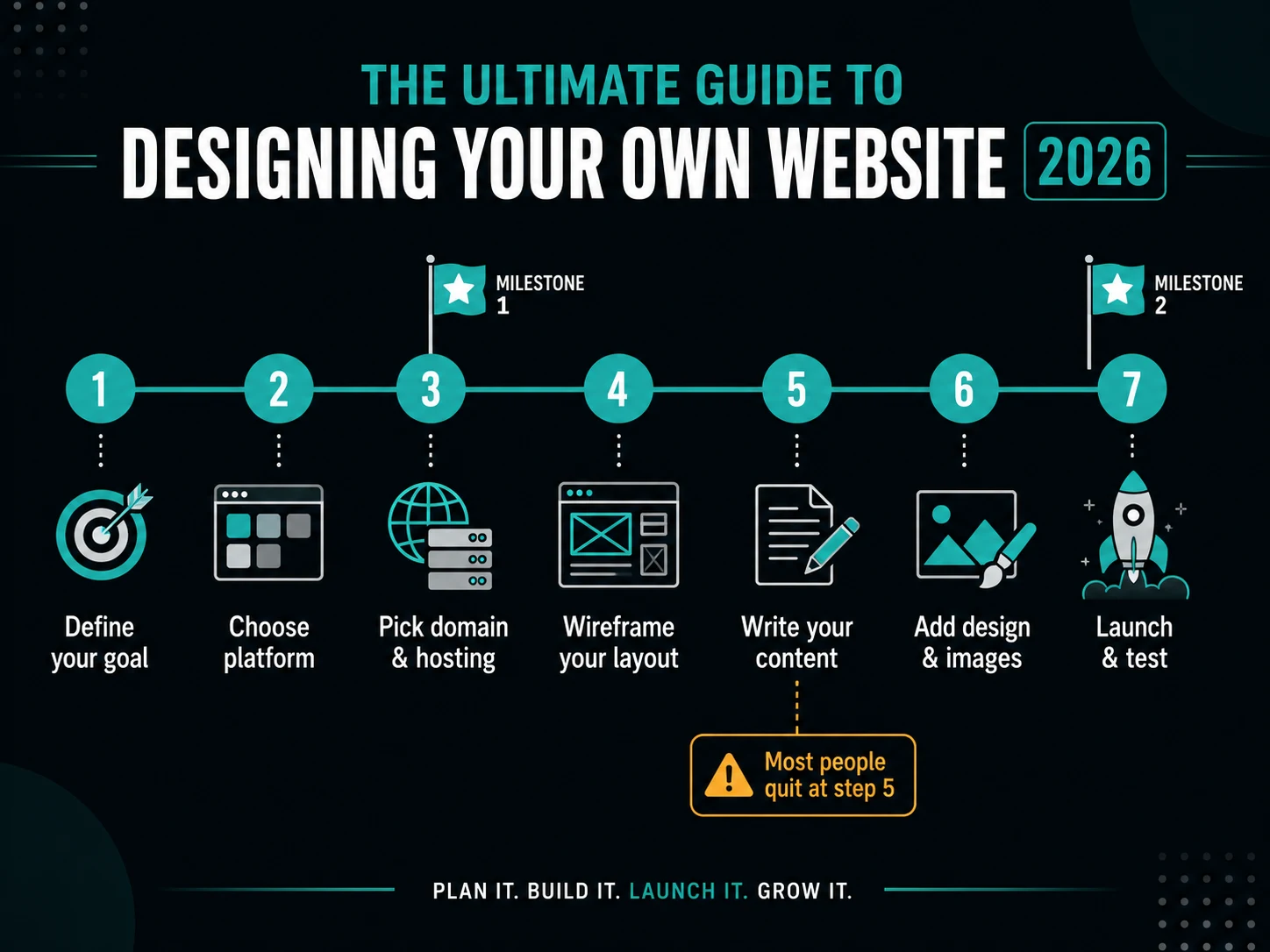
Steps 3–7 — The Design Process That Actually Works
Follow this in order. Skipping steps is the reason most DIY sites fail quietly for months before the owner realises nobody is calling.
Define Your Website's One Job
Every website has ONE primary goal. Write it down before opening any tool: "My website exists to ___." Collect leads? Sell products? Book appointments? Everything you design must serve that sentence — and only that sentence.
Choose and Register Your Domain
Keep it under 15 characters. Use your business name or primary keyword. Choose .co.za — Google ranks local TLDs higher for South African searches. Register through Afrihost or Domains.co.za. Cost: R100–R250/year.
Plan Your Pages Before You Design
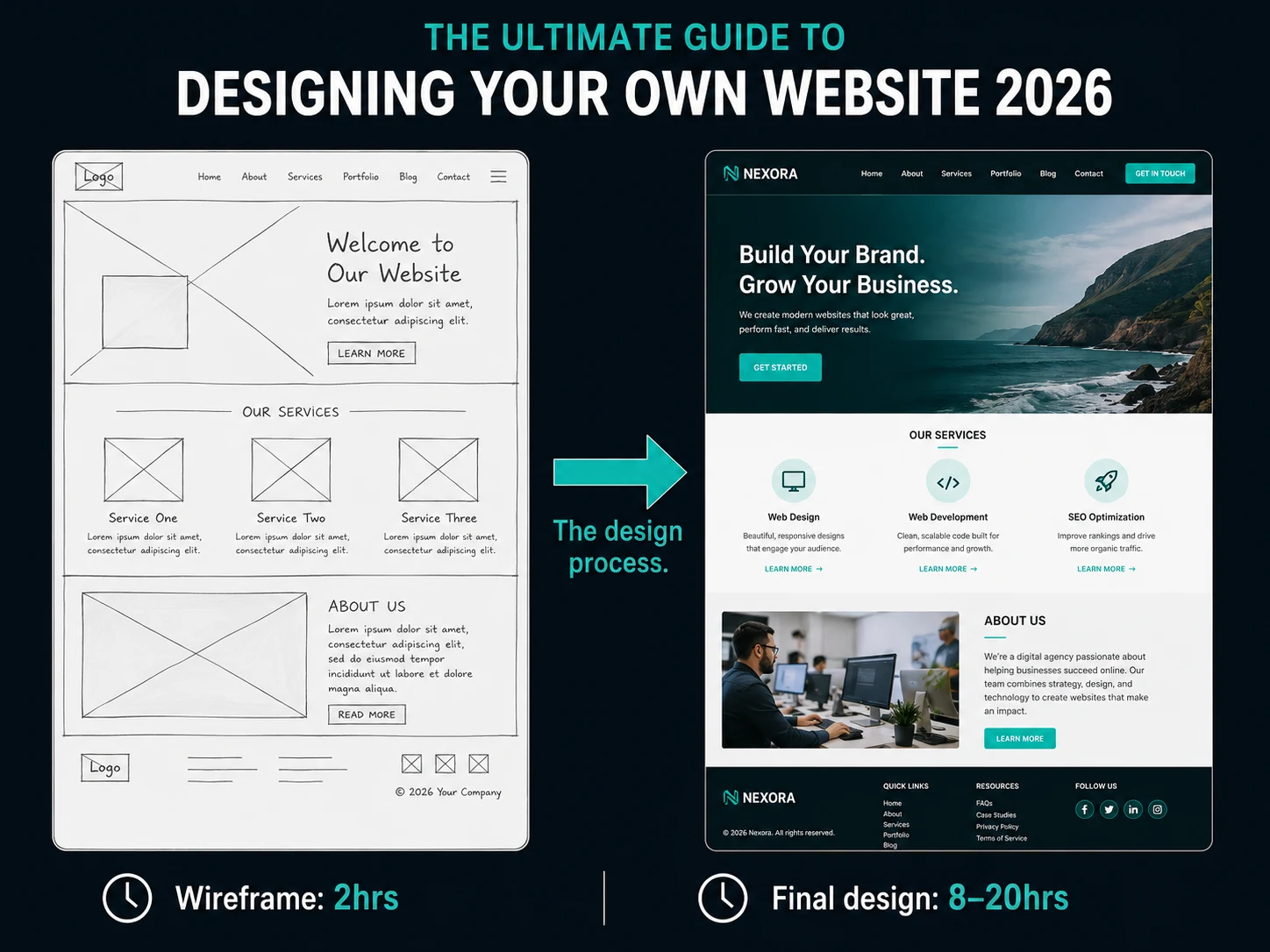
Most beginners open a template and start filling it in. This is backwards. Plan first. Essential pages: Home, About, Services/Products, Contact, Blog (for SEO). Optional but powerful: Pricing page (reduces friction), Portfolio, FAQ (wins Google's "People Also Ask" boxes).
Design With the F-Pattern in Mind
Eye-tracking studies prove web users scan in an F-shape — heavy attention top-left, then scanning right, then skimming down. Your most important message goes top-left. Your headline must be clear in 3 seconds. Your CTA button must appear before scrolling. White space is trust, not wasted space.
Write Content Before You Design
Design without content is decoration. You need: a headline that states what you do + who you serve + the outcome; a sub-headline that handles the biggest objection; social proof; a benefits list (not features — customers buy outcomes); a specific CTA. "Get a Free Quote" converts better than "Submit".
Optimise for Mobile, Speed, and SEO
Your site isn't finished when it looks good on your laptop. Compress all images below 200KB (use squoosh.app — free). Use no more than 3 font variations. Host on a South African server. Every page needs a unique title tag and meta description. Your H1 must contain your primary keyword.
Test on a Real Phone Before Going Live
68% of South African web traffic is mobile. Text must be readable without zooming (minimum 16px). Buttons must be tappable (minimum 44px height). No horizontal scrolling. Forms must work on a touchscreen keyboard. If your site fails any of these on your actual phone, it's not done.
I rebuilt a construction company's homepage in Centurion by doing one thing: moving the WhatsApp CTA from the footer to directly below the hero headline. Same traffic. Same copy. WhatsApp enquiries went from 4 per month to 31 per month in six weeks. The design didn't change. The placement did. That is what conversion design actually means.
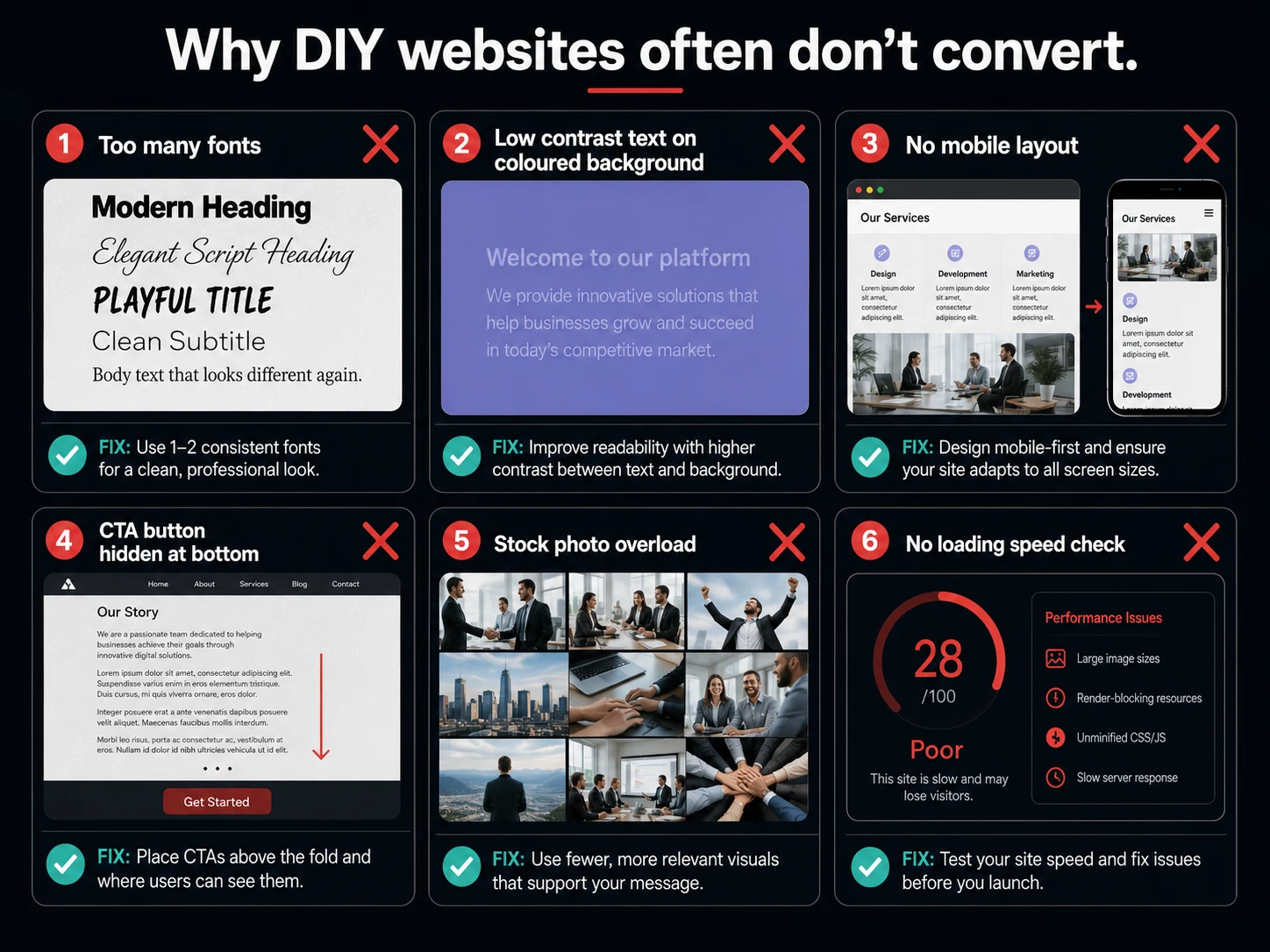
The 10 Mistakes Killing Most SA Business Websites
Study these. Each one is a revenue leak — and all of them are fixable in an afternoon if you know what you're looking for.
How many of those 10 mistakes does your current website have? If it's more than two — keep reading. The next section is about you.
Should You DIY It, or Hire a Professional?
This is the question under the question. Here's the honest answer most guides are too polite to give you.
- You're pre-revenue and have zero budget
- Your business doesn't depend on online enquiries
- You have time to learn, test, and iterate
- It's a temporary campaign or short-horizon project
- You need Google rankings — DIY has real SEO ceilings
- Your business generates (or should) more than R10,000/month
- You've tried DIY and the phone isn't ringing
- You want to compete with established businesses in your city
The real cost of DIY: Most business owners spend 40–80 hours building a site that converts at 0.8%. A professional site converting at 3.5% on the same traffic generates 4x the leads. The maths doesn't lie.
See what a proper site looks like — free, in 48 hours.
I'll build you a live, working, mobile-optimised website for your SA business. Not a mockup. A real site with your branding, your services, your local area. You look at it, test it, show it around. You pay nothing unless you love it.
Zero deposit · No lock-in · Pay only if you love it · Centurion & nationwide
Your DIY Website Launch Checklist — Tick Every Box Before Going Live
- A website is not a cost — it's a sales system. A DIY site built without understanding conversion design, speed, and SEO is a sales system that actively works against you.
- Follow the 7 steps in order. Define the goal, plan pages, write content before designing, optimise for F-pattern, mobile-test on a real phone. Skip any step and you skip the results.
- If your business depends on customers finding you online — invest in a professional. The maths of 3.5% conversion vs 0.8% makes the decision for you.
Keep Reading

Chris Maboyi
I build websites for South African businesses in Centurion, Pretoria, and across Gauteng — salons, plumbers, retailers, clinics — who need leads, not lectures. Every site I build comes with a 48-hour free demo: real, live, no deposit, no obligation. Get in touch or WhatsApp me directly.