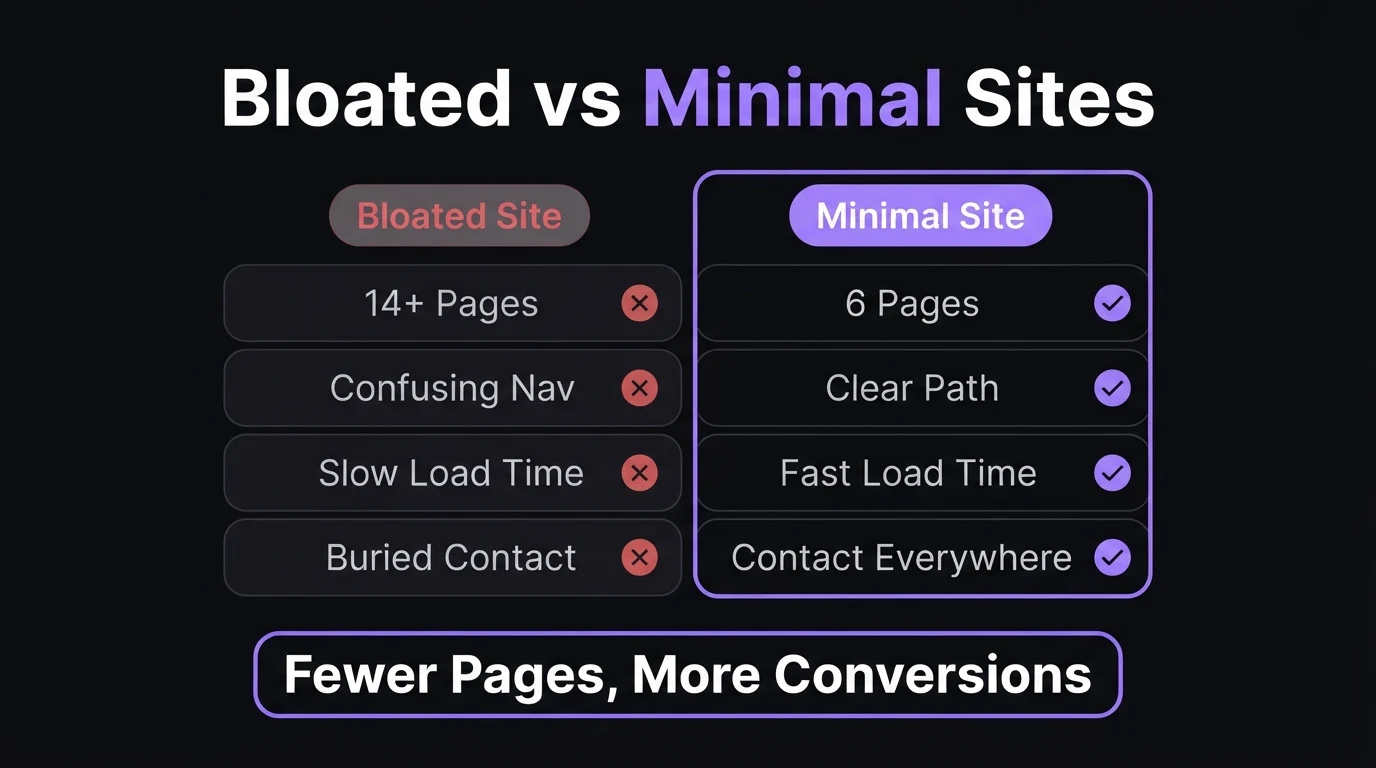
Here's a pattern I see constantly when auditing a new client's old site before a rebuild: 14 pages, and nine of them have never been visited by anyone who wasn't lost. A "Vision & Mission" page nobody asked for. A "Downloads" page with two PDFs from three years ago. A team page listing someone who left the business in 2024. None of it is doing any work. All of it is standing between a visitor and the one thing they came to do — find out what you offer, decide if they trust you, and get in touch.
The instinct to add more pages usually comes from a good place — it feels thorough, professional, complete. But a website isn't judged on completeness. It's judged on how fast a stranger can answer their own question and act on it. Every extra page in your main navigation is one more decision a visitor has to make about where to click next, and on mobile — where most South African browsing happens — that decision fatigue shows up directly in your bounce rate.
Why a Smaller Site Usually Converts Better
Think about the last time you visited a business website on your phone looking for one specific answer — do they do X, what does it cost, where are they based. If the site made you tap through a crowded menu with ten options to find it, you probably left before you found it. A visitor doesn't reward effort. They reward clarity. A site with six focused pages, each answering one clear question, will out-convert a fourteen-page site every time — not despite having fewer pages, but because of it.
This isn't a minimalism trend. It's a conversion mechanic. Every page you add to primary navigation dilutes the visitor's attention and gives Google another thin page to crawl, index, and quietly rank you down for if it's mostly empty. Fewer pages, each doing real work, beats more pages doing none.
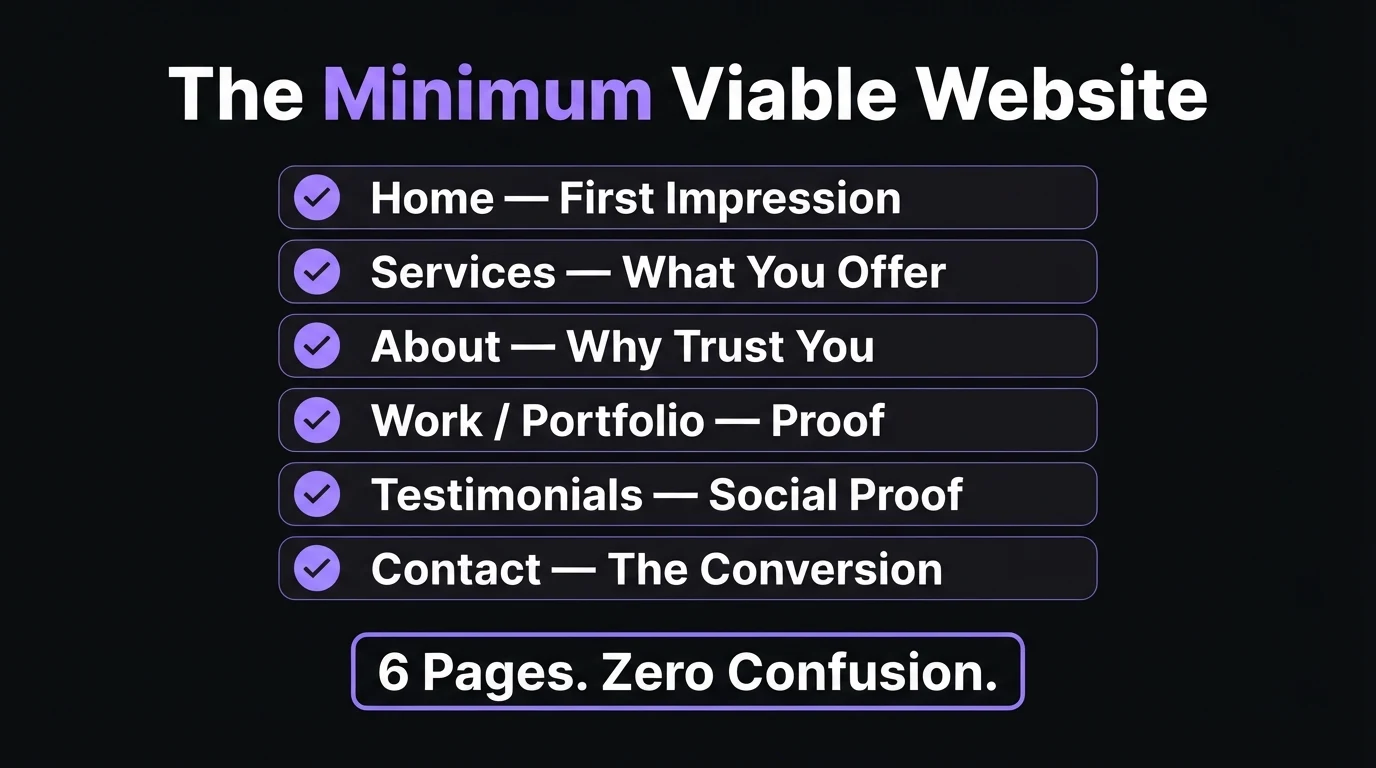
The Minimum Viable Website Structure
This is the structure I start every new build from, regardless of industry. Some businesses fold one or two of these together — a testimonials strip can live on the homepage instead of its own page — which brings the true floor down to five.
- Home — the summary of everything else. What you do, who it's for, why you're credible, and where to go next. This page carries the most traffic and the most weight; it needs to work on its own even if a visitor never clicks anywhere else.
- Services (or Products) — the specifics. What's actually on offer, in language the visitor uses, not internal jargon. This is usually the page that turns curiosity into a genuine enquiry.
- About — the trust page. Who's behind the business, how long you've operated, what makes you different from the next search result. Short and specific beats long and generic.
- Work / Portfolio — the proof. Photos, case studies, or completed projects that show rather than tell. Skip this only if your business genuinely has nothing visual to show yet.
- Testimonials / Reviews — the social proof layer. Real names, real outcomes, ideally pulled from Google reviews rather than written in-house.
- Contact — the conversion page. Phone, WhatsApp, email, a map if you have a physical location, and a short form as a backup — never the only option.
- Home, Services, About, Work, Contact — always
- Testimonials, if you have real ones worth showing
- A single FAQ section if the same questions keep coming up
- Legal pages — but tucked in the footer, not the main menu
- A blog — until you can commit to posting on a real schedule
- A full team page — until there's more than one or two people to introduce
- A resources or downloads hub — until real demand exists for it
- Separate landing pages for services you haven't sold yet
Before you keep reading: could you draw your own site's structure from memory right now? If you can't, your visitors probably can't navigate it either.
When You Actually Need More Than the Minimum
The six-page structure is a floor, not a ceiling. Some businesses genuinely need more — the test is always the same: does this page serve a distinct visitor intent that the core six pages can't cover, or is it padding? Here's how that plays out by business type.
| Business type | Realistic page count | Why |
|---|---|---|
| Single-service freelancer | 4–5 | One offer, one audience — the minimum structure is often already too much |
| Local trade or salon | 5–7 | The core structure, occasionally with a dedicated booking page |
| Multi-service business (3–6 services) | 8–12 | One page per genuinely distinct service, each targeting its own search intent |
| Business serving multiple cities | 10+ | One location page per city with real local search demand — not every city, just the ones that matter |
| Regulated professional practice | 8–10 | Practice-area or compliance pages a visitor needs to verify before trusting you with the work |
| E-commerce store | Product-count dependent | Product and category pages are the exception to "fewer is better" — they're inventory, not padding |
Notice what all of the legitimate reasons to grow have in common: each new page targets a different visitor, a different search query, or a different service — never just a different way of saying the same thing. That's the line between a page that helps your SEO and a page that quietly drags it down.
The One Page Doing Most of the Work
If you only fix one page, fix your homepage. It's the page that carries direct traffic, most of your Google Ads spend if you run any, and most first impressions from a shared link or a Google Business Profile click. A strong homepage should let a visitor answer three questions inside ten seconds of landing: what do you do, who is it for, and what do I do next? If your homepage makes someone scroll past a hero slider and three paragraphs of history before it says what the business actually sells, that's the fix to make before you even think about adding another page.
"A client came to me with a 13-page site built by a previous agency — a full team page for a two-person business, a 'company values' page, a blog with four posts from 2022, and a services menu split across five separate pages that all said roughly the same thing in different words. We rebuilt it down to six pages: Home, Services, About, Work, Testimonials, Contact. Same business, same offer, same price. Within six weeks the site's average time-to-contact-click dropped by more than half, and the bounce rate on mobile — where most of their traffic came from — fell noticeably. Nothing about what they sold had changed. What changed was how many decisions a visitor had to make before they could act on it."
How to Decide What Your Business Actually Needs
Start from the six-page floor
Build Home, Services, About, Work, Testimonials, and Contact first. Resist adding anything else until this structure is genuinely solid.
List your real, distinct offers
Not every variation deserves its own page. If two services would target the exact same search term and the exact same buyer, they belong on one page, not two.
Check for repeat customer questions
If the same three questions come up on every WhatsApp enquiry, that's a genuine case for an FAQ section — not a whole new page, usually just a section on an existing one.
Test the "distinct intent" rule before adding a page
Ask honestly: does this page target a visitor, a keyword, or a moment in the buyer journey that no existing page covers? If not, it's a section on an existing page, not a new one.
Add pages only when demand proves it
A second location page, a dedicated landing page for a new service, a blog — add these when there's real traffic, real enquiries, or real content to justify them, not before.
Quick self-audit: does your site pass?
What About a Blog, FAQs, or Legal Pages?
These deserve a place — just not in your main navigation from day one. A blog is a genuine long-term asset for SEO, but only if you can commit to it regularly; four abandoned posts from two years ago do more harm to credibility than no blog at all. Legal pages — privacy policy, terms of use, cookie notice — are necessary and, in South Africa, a POPIA compliance requirement, but they belong in the footer where they're accessible, not competing for attention in your main menu. An FAQ section earns its place once real customer questions have piled up — build it from what people actually ask, not from what you imagine they might.
If you're not sure how to translate what your business actually does into the right page structure, that's exactly what a proper website brief is for — it forces the clarity before a single page gets built, instead of after.
- Most small business sites need 5–7 pages: Home, Services, About, Work, Testimonials, Contact.
- Every extra page in your navigation is a decision a visitor has to make — fewer decisions convert better.
- Only add a page when it targets a genuinely distinct visitor, service, or search intent.
- Legal pages belong in the footer, not the main menu.
- Fix your homepage before you add anything new — it carries the most traffic and the most weight.
Frequently Asked Questions
How many pages should a small business website have?
Most small businesses need between 5 and 7 pages: Home, Services, About, Work or Portfolio, Testimonials, and Contact. Some businesses fold Testimonials into the Home page, bringing the true minimum to 5. More pages only earn their place once a specific business reason demands them — a second location, a genuinely distinct service line, or a compliance requirement.
Is a one-page website enough for a small business?
A single-page site works for a very narrow launch scenario — a pre-launch waitlist, a single-service freelancer, or an event landing page. Once you offer more than one service or need to rank for more than one keyword theme in Google, a single page starts fighting itself for search visibility and you should split into a small multi-page structure instead. See our full breakdown of one-page website costs for when it does and doesn't make sense.
Does adding more pages help SEO?
Only if each page targets a genuinely distinct search intent. A dedicated page per real service or per real location can help rankings because it lets each page focus on one keyword theme. Pages added just to look comprehensive, with thin or duplicate content, do the opposite — they dilute your site's authority and give Google more thin pages to rank you down for.
What pages should a small business website NOT include at launch?
Skip a blog until you can commit to posting regularly, skip a full team page until you have more than one or two people worth introducing, skip a resources or FAQ hub page until real customer questions have piled up, and skip separate landing pages for services you haven't sold yet. Add them later, once real demand or real content justifies the page.
When does a business actually need more than 7 pages?
Once you serve more than one city or suburb with real local search demand in each, sell more than roughly five genuinely different services, run an online store, or operate in a regulated industry that requires dedicated compliance or practice-area pages, additional pages start earning their place. The test is always the same: does this page serve a distinct visitor intent, or is it padding?
Not sure what your own site actually needs?
Tell me what your business does and I'll map out the exact page structure it needs — no more, no less — as part of your free 48-hour demo. No deposit, no obligation.
Zero deposit before you approve the live site

Written by Chris Maboyi
I build websites for South African businesses in Centurion, Pretoria, and across Gauteng — salons, plumbers, retailers, clinics — who need leads, not lectures. Every site I build comes with a 48-hour free demo: real, live, no deposit, no obligation. Get in touch or WhatsApp me directly.